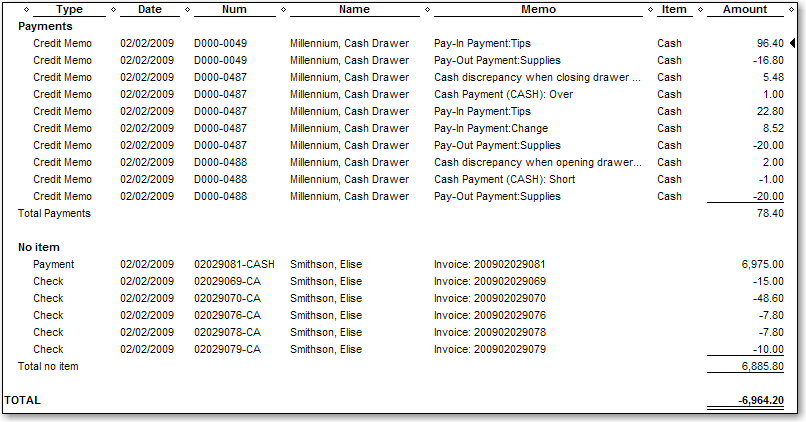
The Cash Summary report displays details of the cash transactions during the report date range. The following types of cash transactions display on this report:
Cash discrepancies recorded during opening/closing of the cash drawer
Pay-ins
Pay-outs
Cash payments made by customers
Cash back paid out for tips
Tip: Run the Cash Summary report to verify that details for cash transactions uploaded to QuickBooks successfully. If you run the MR080: Register Summary report in Millennium, the total in the Cash: Computed field on that report should match the entry in the TOTAL field on the Cash Summary report if you select the same date range for both reports.
Notes:
The No item section displays details for cash payments and the cash paid out for tips.
Open your company file in QuickBooks.
Open AccountSync.
Select the location for which to run the report.

Select Reports > Cash Summary.
The Custom Summary Report window opens in QuickBooks with the Cash Summary report displayed. The report shows details for the last date range of transactions uploaded to QuickBooks.
Tip: To view the data for a different date range, select a standard or custom date range, and then click Refresh.