Click  on the toolbar.
Click on the toolbar.
The Appointment Book displays.
Click Scan on the left side of the Appointment Book.
The Scan for Opening window displays.
Click Find Guest.
The Find Guest window displays.
Type the guest's last name or room number in the Guest Last Name/Room # field and press Enter.
The guest's details display.
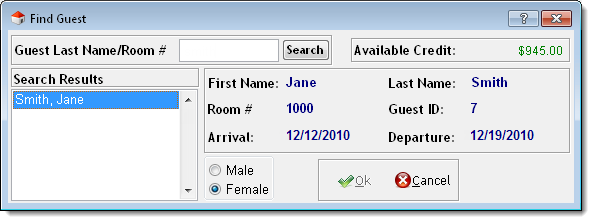
Tip: If there is more than one guest with the same last name, select the correct guest in the Search Results list.
Click Ok.
The guest's details transfer to the Scan for Opening window.
(Optional) Deselect Charge services to guest's room if the guest does not want to charge the services to their folio.
Enter details for the guest's appointment as normal.
Click Scan.
The Opening List window displays with a list of available openings.
Tip: If there are no openings available, adjust the entries in the Date/Time Range for Client section and click Scan to perform another search.
Select the desired appointment time.
Click Book It.
Click OK.