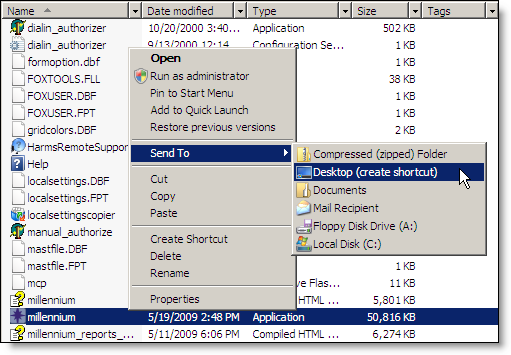
The next step is to create shortcuts for Millennium so that users can quickly access Millennium from a workstation/thin client.
On the thin client that you want to designate as "User1", access the server using the login credentials for User1.
Open the Computer folder and access the folder where Millennium is installed.
Tip: The default location for the Millennium folder is C:\Harms\Millennium.