Click  on the toolbar.
If you need to void a gift certificate sale, you must void the transaction manually in Millennium and on the SpaBoom web site.
Click on the toolbar.
The Register displays.
Select "SpaBoom Online GC" in the Created By field.
In the Show Transactions between fields, select the date when the client purchased the gift certificate.
Click Show.
A list of SpaBoom transactions completed during the specified date range displays.

The Register tab displays with details for the transaction.
Click Void and click Yes.
If a notification displays asking if you want to reverse the charge, click Yes.
If a notification displays indicating that Element has settled the charge, click OK, click Yes, and click OK.
A notification displays to confirm the void.
Click OK.
Open a web browser and access www.spaboom.com.
The SpaBoom web site displays.
The Welcome page displays.
Click the GCs tab.
The GCs page displays with a list of transactions.

Click the ID number for the transaction you voided in Millennium.
The following page displays with details for the transaction.
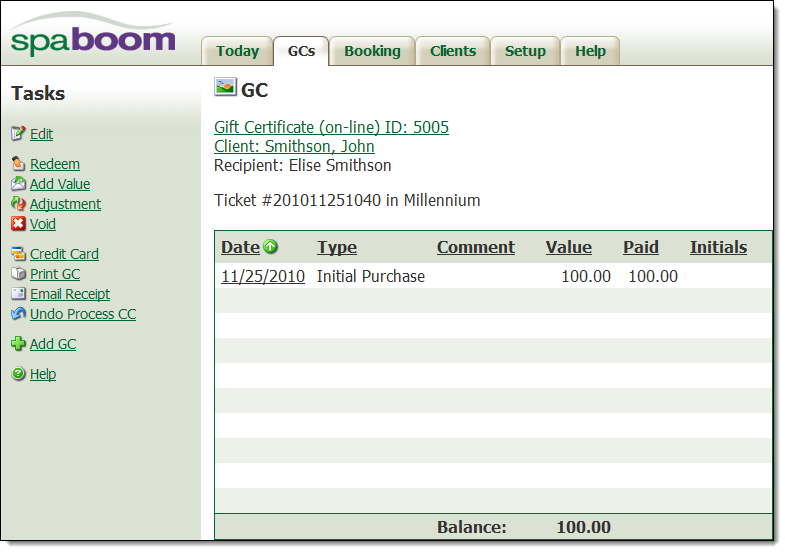
Click the Void link under Tasks.
The following page displays.
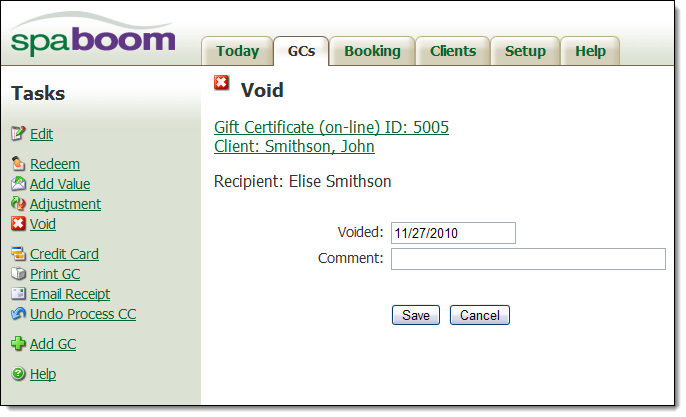
In the Comment field, type the reason for the void.
Click Save.
The void is complete.