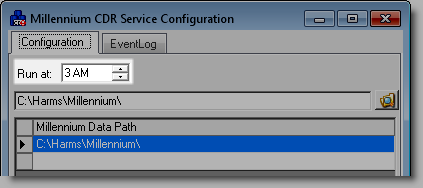
The final step is to configure the Millennium CDR Service.
Complete one of the following:
If you are not using the basic edition of Windows 8, access Windows with an administrator account.
If you are using the basic edition of Windows 8, access Windows with the Administrator account.
Complete one of the following:
Select Start > All Programs > Harms Software Inc > Millennium CDR Service > Millennium CDR Service Configuration.
On the Start screen, type "cdr service config" and press Enter.
The Millennium CDR Service Configuration window displays.
Select "3 AM" in the Run at field.
Important: The entry in the Run at field controls when the Millennium CDR Service runs to export and send data to product manufacturers. Read the Suggested Start Times for Millennium Services topic before you consider changing the time when the Millennium CDR Service runs.
Select one of the following options:
If there is only one Millennium database on the computer, proceed to Step 6.
If there are multiple Millennium databases on the computer, proceed to Step 5.
Complete the following for every Millennium database:
Click the empty field in the Millennium Data Path section.
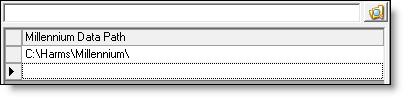
Click  .
.
The Browse For Folder window displays.
Locate and select the Millennium folder for the database.
Click OK.
Click OK.
Click Yes.
The Millennium CDR Service starts and the setup is complete.
Notes:
You must leave the computer where you installed the Millennium CDR Service on overnight to allow the service to run at the specified time.
If you want to run the Millennium CDR Service before the scheduled start time, click Run Now on the Millennium CDR Service Configuration window.